
Appearance
Standard Lists
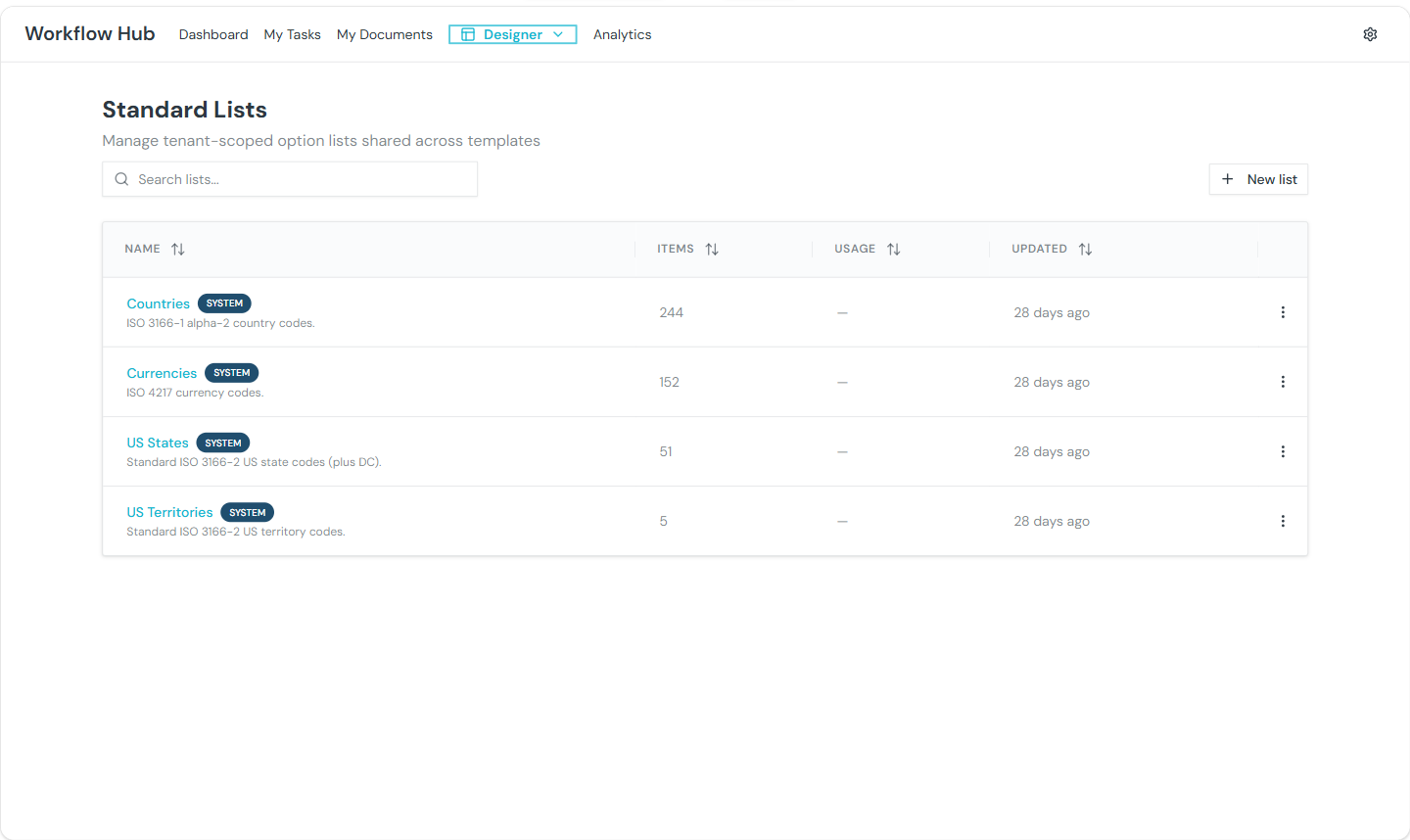
Standard Lists are tenant-scoped option lists that can be reused across form fields in multiple templates. Instead of defining the same dropdown options repeatedly, create a list once and reference it from any select, multi-select, or checkbox group field.
INFO
Standard Lists are managed by Admin users. See Roles & Permissions.
What You See
The Standard Lists page shows a grid of cards, each displaying:
- Name — the list title
- Description — what this list contains
- Item count — number of options in the list
- Usage count — how many template fields reference this list
- Action menu — Edit, Duplicate, Delete
Creating a Standard List
Click New Standard List to open the editor.
List Details
- Name — a descriptive name (e.g., "US States", "Department List"). Max 100 characters, must be unique within the tenant.
- Description — what this list is for. Max 1,000 characters.
Adding Items
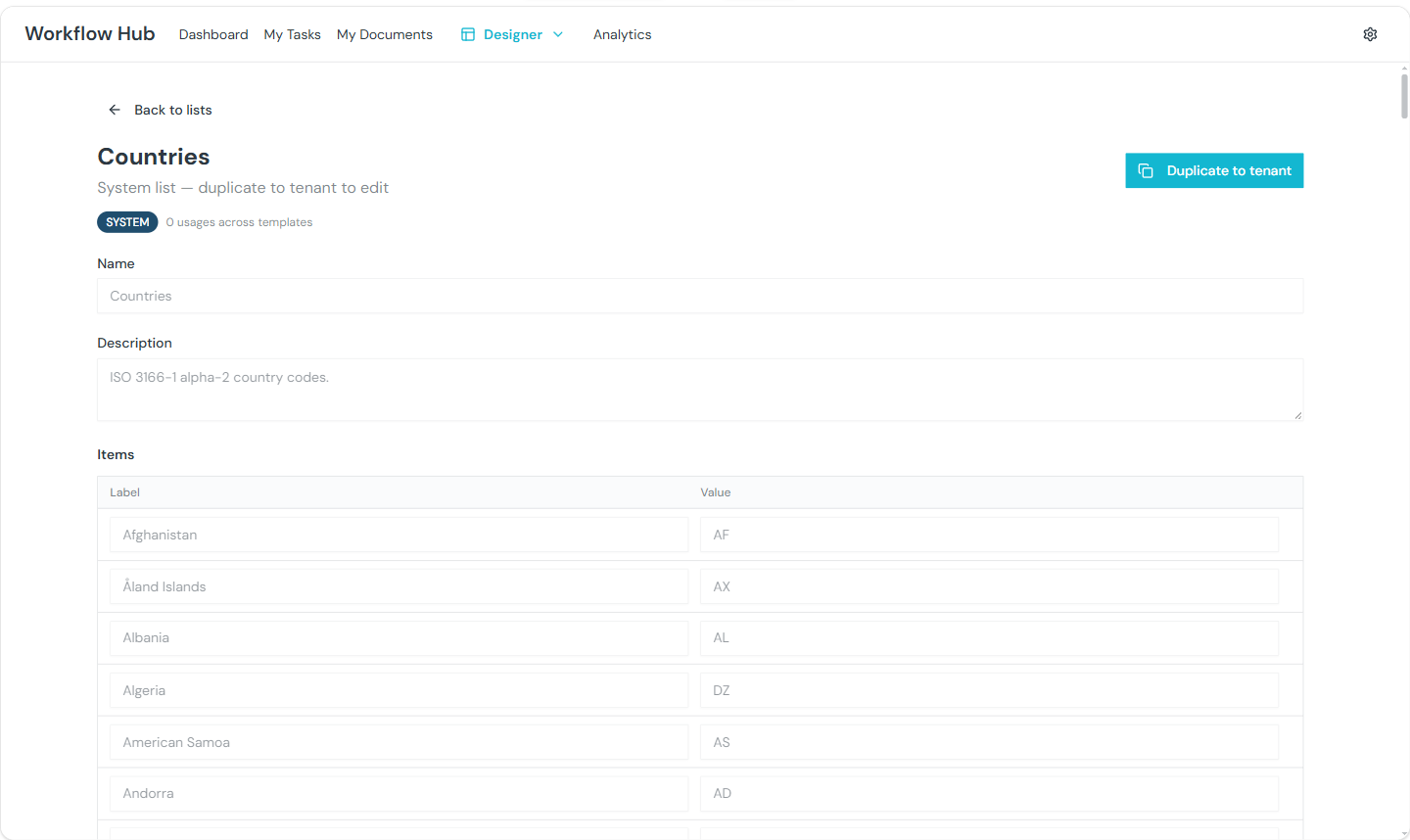
Each item has a Label (displayed to users) and a Value (stored when selected). Add items one by one using the table editor.
Bulk CSV Import
For large lists, click Import CSV to upload items in bulk. The import dialog lets you:
- Upload a CSV file with label/value columns
- Preview parsed items before importing
- Choose to replace or merge with existing items

Managing Standard Lists
| Action | Description |
|---|---|
| Edit | Modify the list name, description, and items |
| Duplicate | Create a copy of the entire list |
| Delete | Permanently remove the list (only if not referenced by any template fields) |
WARNING
Deleting a Standard List that is in use will fail. The error message shows which templates reference the list. Remove the references first, then delete.
Usage Tracking
Each list card shows a usage count — the number of template fields that reference this list. Click the count to see which templates and fields are using the list.
Changes to a Standard List take effect globally — updating an item's label updates it everywhere the list is used.
Using Standard Lists in Forms
When editing a select, multi-select, or checkbox group field in the Form Task Templates or Input Schema, you choose one of three options modes:
| Mode | Description |
|---|---|
| Static | Define options directly on the field |
| Standard List | Select a shared Standard List |
| HTTP Lookup | Fetch options dynamically from an API (see Dynamic Options) |

Select the Standard List tab, then pick the list from the dropdown. The field will always show the current items from the selected list.
Tips
- Use Standard Lists for options shared across multiple forms — country codes, departments, status values
- Use bulk CSV import for large lists (hundreds of items)
- Check usage tracking before editing a list to understand the impact of changes
- Standard Lists update globally — changing an item updates it everywhere